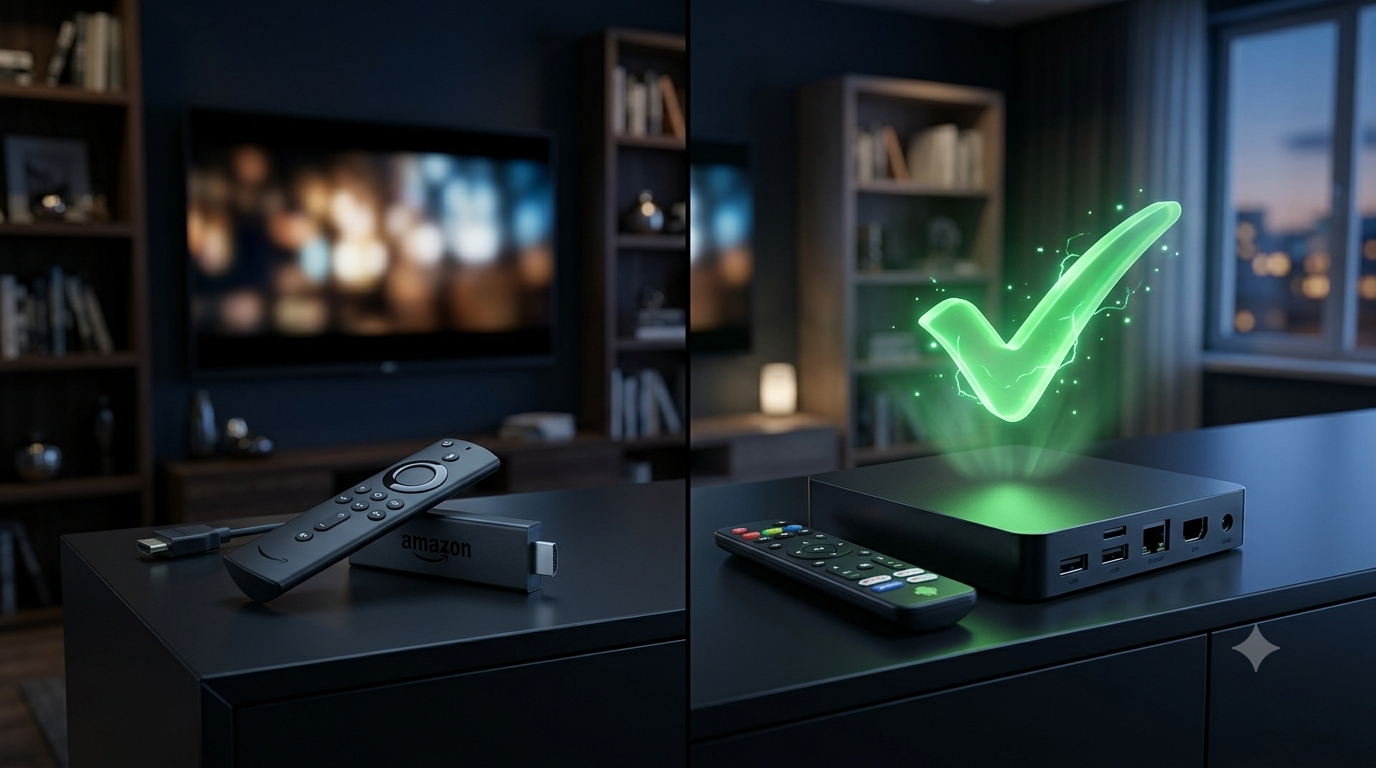
If you search for the best IPTV device online, you will see a lot of arguments. Some people swear by the Firestick. Others say you must buy an Android TV box. The truth? Both work well. But they suit different types of users. Let me break it down simply.
What Is a Firestick?
A Firestick is a small plastic stick you plug into the back of your TV. Amazon makes it. It is cheap and very easy to use. You just plug it in, connect to your Wi-Fi, and you are ready. The catch is that Amazon controls the app store. They do not like third-party IPTV apps. Before setting up your IPTV, you need to download the Downloader app and install it. It takes an extra five minutes, but it is not hard to do.
What Is an Android TV Box?
An Android TV box is a small square box that sits under your TV. It costs a bit more than a Firestick. But it gives you much more power. It has more storage space and a faster processor. The best part? It does not block apps. You can install your IPTV app straight away without jumping through Amazon's hoops. Everything just works out of the box.
Firestick vs Android Box: The Real Difference
- Setup: The Firestick is plug and play. The Android box takes a few more minutes to set up.
- Storage: Firesticks usually have 8GB or 16GB. Most Android boxes start at 32GB or more.
- Speed: The Firestick is fine for normal HD streams. Android boxes are much better if you want to watch 4K.
- App Access: The Firestick makes you work to install IPTV apps. The Android box lets you install them easily.
- Price: The Firestick wins on price. The Android box costs more, but you get better parts.
Which One Should You Pick?
Get the Firestick if you just want to watch TV and keep things cheap. It does the job perfectly for most people.
Get the Android box if you watch a lot of 4K content. It is also the better choice if you like to run a lot of different apps at the same time. It will not freeze up or slow down under heavy use.
Why the Device Is Not Everything
Here is a secret most people miss. The best TV box in the world cannot fix a bad IPTV service. If your provider has weak servers, you will get buffering. It does not matter if you spent £100 on a fancy box. On the flip side, a cheap Firestick will run perfectly if your IPTV service is solid. The service you choose matters way more than the device you use.
Quick Tips for Better Streaming
- Use an Ethernet cable instead of Wi-Fi when you can. It is much more stable.
- Restart your device once a week to clear out bugs.
- Delete apps you do not use. They just eat up your memory and slow things down.
Final Verdict
There is no wrong choice here. Want cheap and simple? Buy the Firestick. Want more speed and space? Buy the Android box. Just make sure you pair your device with a strong, reliable IPTV service. That is what really makes the difference. Check out our Plans page when you are ready to get started.
Frequently Asked Questions
Is a Firestick good enough for IPTV?
Yes, for most people it's more than enough. If you're watching in HD and not running loads of apps at once, a Firestick will handle it just fine.
Do I need an Android box for 4K streaming?
Not always, but it helps. Android boxes usually have more power, so they handle 4K and heavy use with less lag than a Firestick.
Which one is easier to set up?
The Firestick wins here. It's plug-and-play right out of the box. Android boxes need a bit more setup, but it's still simple once you've done it.
Comments (0)
No comments yet. Be the first to share your thoughts!
Leave a Comment